
Adjustable desk lamps: checking reach, mounting and placement
Choose adjustments that work with the desk, rather than judging flexibility from the product photograph.
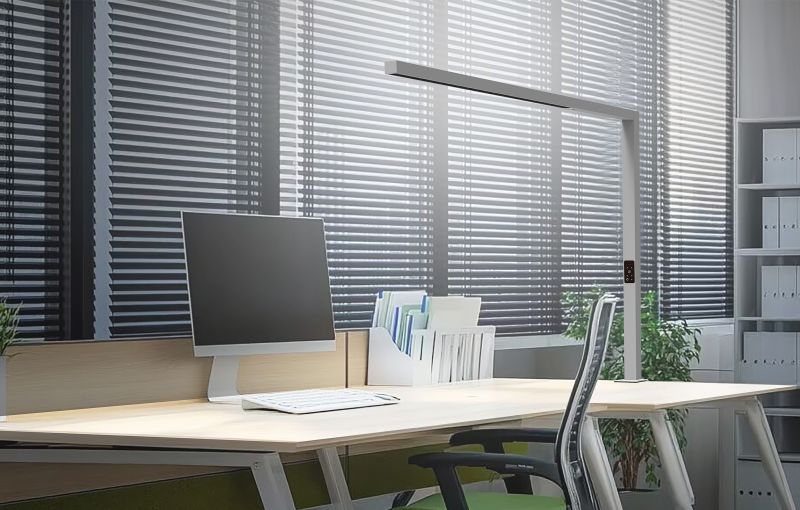
An adjustable lamp should reach useful positions without competing with screens, shelves or the user’s working area. Start by identifying the tasks and the available mounting space. The sample can then show which movements are useful and which positions are impractical.
1. Map the space around the desk
Place the screen, documents and accessories as they will be used. Mark the available space for a base or mounting attachment. Include desk edges, cable trays and partitions, since these can limit where the lamp can be fitted.
Consider the different people and tasks the desk supports. Someone reviewing large drawings may need a different light position from someone reading a document beside a monitor. Write down those positions before comparing the adjustment range.
2. Review the supplied mounting method
For a base-mounted lamp, check the occupied worktop space and how the base sits during normal adjustment. For a clamp or other attachment, ask for the permitted mounting conditions and confirm that the furniture is suitable. Test only the arrangement described in the product instructions.
Check that the selected mounting accessories are included in the sample and quotation. A photograph showing a different attachment is not a substitute for confirming the version being purchased. Record any furniture constraints that the supplier needs to know.
3. Move between actual working positions
Adjust the lamp through the movements required by the tasks. Check head orientation, reach and any height adjustment offered. Watch for contact with the monitor, shelves or partitions, and confirm that the chosen position can be maintained without continual readjustment.
Follow the stated movement limits and handling instructions. Do not force a joint to reach a position outside its intended range. If several users share the desk, let them try returning the lamp to a useful starting position.
4. Review the light after moving the head
Use real documents and screens when comparing positions. Check where hand shadows and reflections appear, and look from the normal seated position. Repeat the review after moving between the working arrangements defined in the brief.
Adjusting the physical position and adjusting brightness are separate actions. If dimming or adjustable colour temperature is needed, confirm those functions for the selected version. The workstation comfort review provides additional checks for the complete setup.
5. Include cables and routine care
Check the cable route throughout the permitted movement, including desk-height changes where relevant. Observe whether a normal adjustment pulls on a connection or places the cable against moving furniture. Refer any uncertainty about routing or clearance to the supplier before approval.
Obtain the model’s adjustment, cleaning and service instructions. Keep them with photographs of the approved mounting position. This helps users reproduce the intended arrangement and gives the facilities team a reference if the desk layout changes.
A useful enquiry checklist
Prepare these details before discussing the proposed configuration:
- Desk dimensions, screens and intended tasks
- Available base space or approved mounting surface
- Included attachments and mounting conditions
- Required reach, head positions and movement limits
- Reflections, shadows and control requirements
- Cable route, instructions and approved setup photographs
Approve useful movement, not movement alone
The right adjustment range is the one that serves the actual desk. Record the mounting arrangement and the working positions with the sample approval, so installation can follow the same reference.